Rebuild Your Business Website With AI
Rebuild your WordPress website with AI, without writing code, and publish it on your own domain with free hosting.
Tell me if this sounds familiar...
- You already have a business website, and you're unhappy with how it looks, how slow it is, or what it costs.
- You want more control over your website, and fewer monthly fees for hosting, themes and plugins.
- You're curious about AI but don't know how to use it to build something real.
- You don't know how to code, and you don't want to learn traditional web development.
- You like practical, step-by-step guidance you can follow at your own pace.
- Or do you simply want a website that's yours, and that you know how to look after?
I know this feeling well.
When I was sixteen, I taught myself to code so I could build my own blogging platform. Since then my website has lived on WordPress.com, Blogger, self-hosted WordPress, a static site and DreamHost. In 2022 I tried moving a project to a static site, and my very first day was pure frustration.
At the start of this year, I was paying for hosting, a theme and plugins, and I kept bumping into the edges of it all. I didn't want to rent a corner of someone else's platform any more. I wanted to build my own.
So I rebuilt my website with AI as my building partner, moved twenty years of writing onto a site I own, and went from paying for hosting to free static hosting. And the more I talked about it, the more I wondered: could other small business owners do this with their own websites?
Many of you can. So I made a course to show you how.
Why “start over” is usually the wrong first move...
I nearly deleted my whole website and started again. It would have felt tidy: a blank page, a fresh design, no old mess. But it would also have meant throwing away years of words that still worked, a brand I'd built slowly, and links people had saved and shared.
Your existing website isn't just a design. It's words you've already written, a brand people recognise, pages people visit, and addresses that are saved, shared and found on Google. When you start from scratch, you have to rebuild all of that too. When you rebuild, you carry it forward and only change what isn't working.
The difference this time wasn't that AI did everything. It was that I finally had a calm way to work: plan one small thing, build it, check it, and only then move on. I talked to AI in simple words, added detail when it needed more, and reviewed every page before it went live. AI did a lot of the typing. I made every decision. That's the way of working this course teaches.
“Own your content. Ditch the monthly fees. Build with freedom.”
AI is brilliant at repeating a pattern. It's not so good at inventing a consistent one from scratch. So you give it your brief, your content and your patterns, check its work, and let it do what it does best.
Here is what you'll learn to build...
Ten modules, step-by-step guidance, one complete rebuild.
Start Here · Welcome & Resources
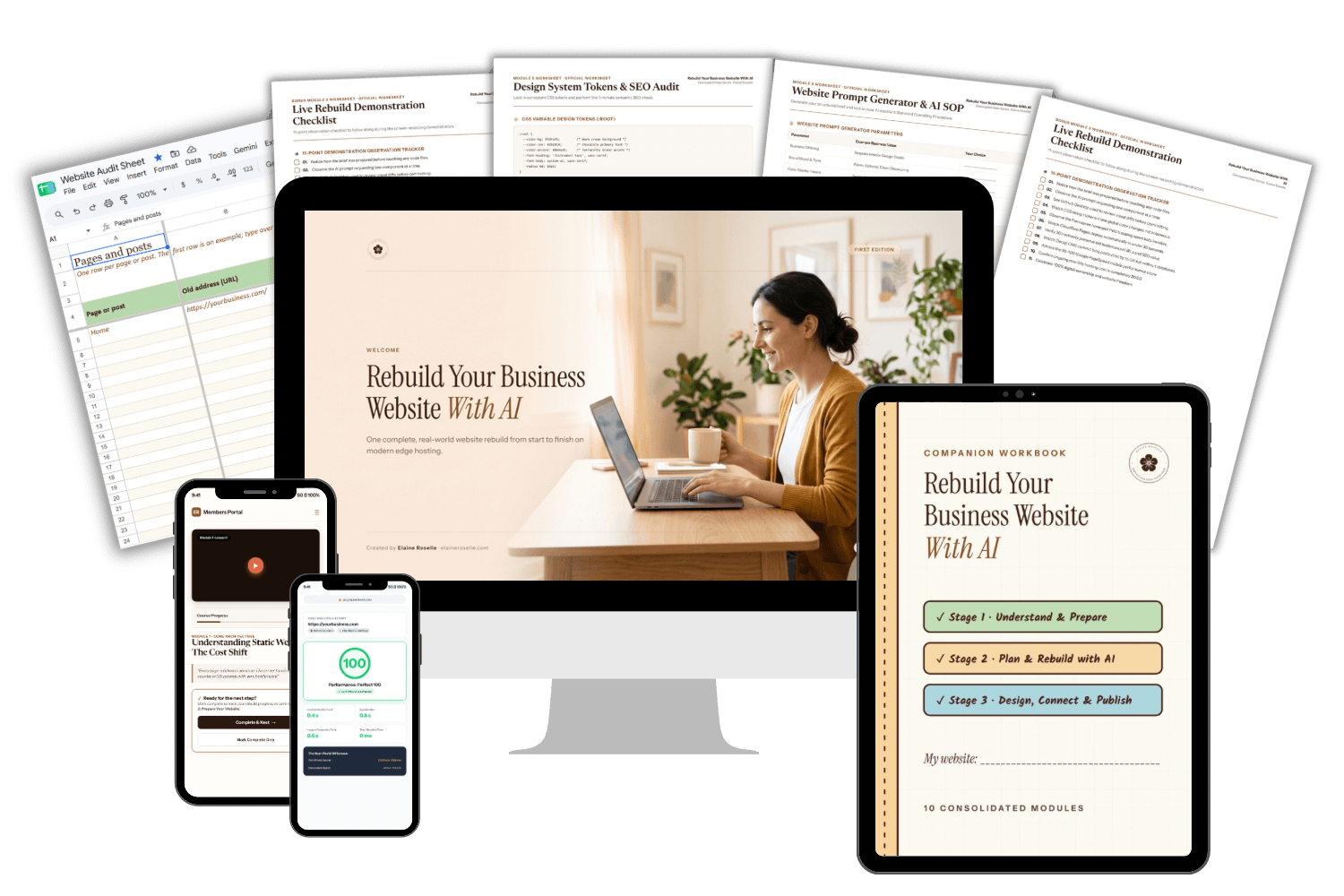
Welcome and orientation, how the course works, the tools you'll use, setting up your workspace, and your complete downloadable workbook and audit sheet.
Module 1 · Understand Your New Website
What a static website is, why it's fast, unbreakable, and free to host, and what still costs something. Plan around what a static site doesn't do using the Three Piles framework.
Module 2 · Prepare Your Website
Audit your pages, images, features, and plugins. Export your WordPress content and media safely, and sort it into a clean keep list and fix list.
Module 3 · Plan Before You Build
Turn your lists into a brief with my free Website Prompt Generator. Set up GitHub Desktop and establish your AI standard operating procedure.
Module 4 · Rebuild With AI
Give AI your brief and real content, not a blank page. Build your core pages one small, reviewed step at a time, reviewing and refining before moving on.
Module 5 · Make Every Page Consistent and Easy to Find
Build a design system in CSS so every page belongs. Run the one-minute SEO check, optimize for mobile, and verify your speed with Google PageSpeed Insights.
Module 6 · Add Forms, Bookings and Sign-ups
Add a contact form without a backend database using Formspree or Tally. Connect booking calendars and newsletter sign-ups with invisible spam protection.
Module 7 · Publish on Your Own Domain
Put your site on Cloudflare Pages edge hosting for $0/month. Redirect old page addresses with 301 rules, connect your domain safely, and submit your new sitemap to Google.
Bonus Module 1 · Site Aftercare & Maintenance
Maintain your static website with AI, manage new pages and global updates with copy-and-paste prompts, and learn the clear roadmap to Astro.
Bonus Module 2 · Full Live Rebuild Demonstration
Watch a complete end-to-end screen recording of a real small business website rebuilt start to finish, showing every prompt, review step, and decision in real time.
How it works (step-by-step)
Understand, prepare, rebuild, then publish on your own domain.
Understand and prepare
Learn how a static site works and plan around it, then gather your content, images and old page addresses, with a clear keep list and fix list.
Plan and rebuild
Write your brief, set up your AI workflow, and rebuild your site one small, checked step at a time.
Check and publish
Test every page, form and link on a free preview address, then publish on Cloudflare Pages with your own domain and your old links still working.
What you walk away with...
- A working website you understand, on a foundation that's simple to look after.
- Your words, your brand and your domain, carried over rather than thrown away.
- Old links that still land in the right place, and a sitemap Google can trust.
- Free static hosting, so your domain is the main ongoing cost.
- The confidence to keep improving it yourself, with AI handling the code and you making the decisions.